
How to Choose a 5-Tray Convection Oven
Choosing a 5-tray convection oven starts with more than tray capacity. The rack structure, control panel, oven dimensions and available energy supply all affect which commercial convection oven configuration fits your kitchen.
GLEAN offers four 5-tray convection oven configurations, each available in electric and gas versions. All use 400 × 600 mm baking trays, but they differ in how the trays move, how you set and save baking programs, and how much space the oven occupies. This guide compares those differences so you can choose a configuration around your products and daily workflow.

Basic

Rear-fan digital

Rotary digital

Rotary touchscreen
Compare GLEAN’s Four 5-Tray Convection Oven Configurations
Start with the rack and controls. Then check the dimensions and utility requirements of the corresponding model.
|
Configuration |
Electric / gas model |
Rack |
Fan position |
Controls and program storage |
|---|---|---|---|---|
|
HEA-5 / HGA-5 |
Fixed |
Side |
Manual controls; no stored programs |
|
|
HEA-5P / HGA-5P |
Fixed |
Rear |
Digital controls; 6 user-configured programs |
|
|
HEA-5R / HGA-5R |
Rotating |
Rear |
Digital controls; 6 user-configured programs |
|
|
HEA-5RT / HGA-5RT |
Rotating |
Rear |
Touchscreen; 99 user-configured programs |
Each configuration holds five trays. Choosing a touchscreen 5-tray convection oven increases program storage and changes the interface; it does not increase tray capacity.
Should You Choose a Fixed or Rotating Rack?
In the basic and rear-fan digital models, the rack stays fixed during baking. In GLEAN’s rotary convection oven configurations, the internal rack rotates with the trays.
Rack rotation and fan reversal are separate features. Rack rotation moves the trays within the chamber. Fan reversal changes the fan’s direction while the rack may remain stationary. A reversing fan therefore does not make a fixed-rack oven a rotary model.
For a 5-tray convection oven with saved programs and a fixed rack, start with the rear-fan digital configuration. If you specifically want the trays to rotate during baking, compare the two rotary configurations and choose between their control panels.
For products where colour and consistency are particularly important, evaluate a representative batch using your intended tray loading and recipe. The rack structure alone does not establish the baking result for every product.
CONTROL PANEL EXAMPLES
Convection Oven Controls: Manual, Digital or Touchscreen?
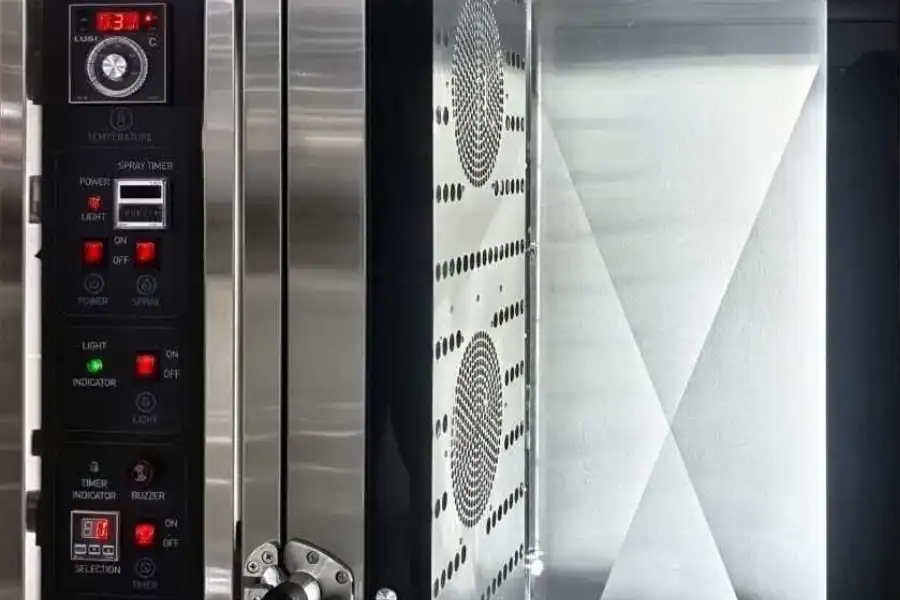
Manual Controls: Set Each Bake Directly
The basic model lets the operator set baking conditions directly without saving programs. Its manual control panel includes digital readouts, so “manual” does not mean that the oven has no display.
Consider this configuration if your team prefers to enter settings for each bake and does not need a library of stored programs.
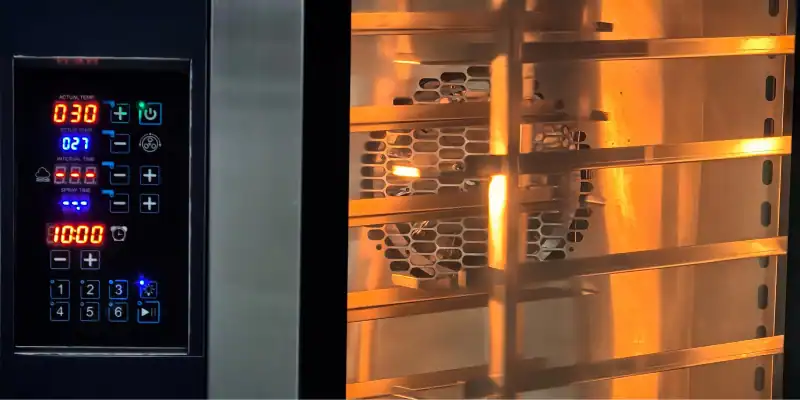
Digital Controls: Save Six Programs
Both digital 5-tray convection oven configurations allow you to create and save six programs. You create these settings for your own products; they are not six factory-installed food recipes.
For a kitchen that repeatedly uses a small set of baking settings, six program slots may cover its routine work. Choosing between these two models then comes down to the fixed or rotating rack and the oven dimensions.
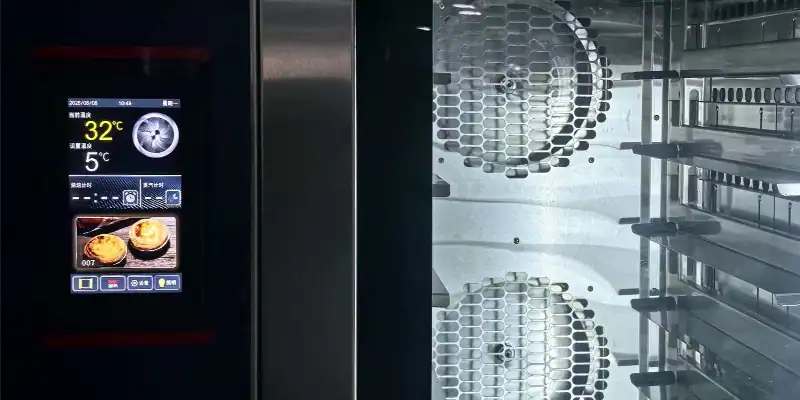
Touchscreen Controls: Save Up to 99 Programs
The rotary touchscreen model provides storage for 99 user-configured programs. It is worth considering when you need to keep more than six sets of baking settings available or prefer a touchscreen interface.
Count the distinct programs you actually need before deciding. More storage gives you room for more saved settings; it does not by itself make a recipe suitable for your product. Establish the baking settings first, then save them for future use.
Will the Trays, Oven Dimensions and Energy Supply Fit Your Kitchen?
Check Tray Size and Spacing
All four GLEAN 5-tray convection oven configurations use 400 × 600 mm trays. The basic model has 90 mm tray spacing, while the other three have 100 mm spacing.
| Configuration | Oven dimensions: W × D × H | Tray spacing | Rated electric input |
|---|---|---|---|
| Basic | 930 × 900 × 780 mm | 90 mm | 7.4 kW |
| Rear-fan digital | 850 × 1050 × 750 mm | 100 mm | 8.7 kW |
| Rotary digital | 920 × 1120 × 900 mm | 100 mm | 8.7 kW |
| Rotary touchscreen | 920 × 1120 × 900 mm | 100 mm | 8.7 kW |
Tray spacing is not the same as maximum product height. Consider the tray or mould depth, product expansion and the space needed for airflow. The rated input figures apply to the electric models and help assess available electrical capacity; they do not represent actual energy use over a baking cycle.
Measure Width and Depth Separately
The rear-fan digital model is narrower than the basic model, but it is also deeper. A narrower oven is therefore not automatically a better fit for a shallow work area.
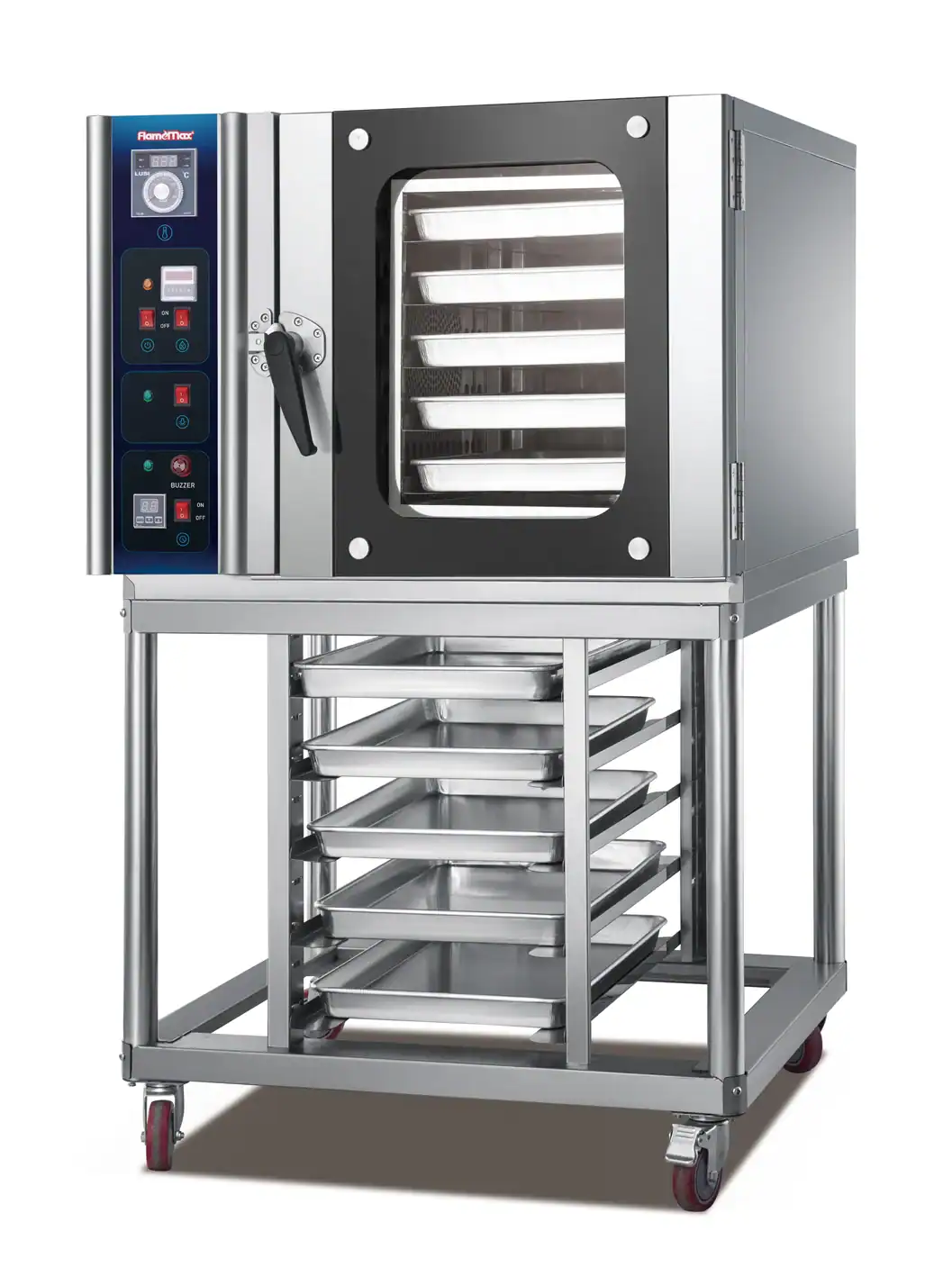
OPTIONAL ACCESSORY
Plan for the Optional Oven Stand
The stand for a 5-tray convection oven is an optional extra. Specify whether you need it when requesting a quotation.
The 5-tray convection oven dimensions above exclude the optional stand. When planning the installation, also allow for door opening, loading access, connections and the clearances required for the selected model. Confirm those requirements before finalising the layout.
Baking trays are included in the oven price and supplied to match the purchased specification.
Choose the Energy Version Around Your Site
Every configuration is available in electric and gas versions. Confirm the available voltage, phase and frequency against the specific model’s requirements. For a gas model, also confirm the gas supply requirements.
Gas models still require an electrical connection. Choosing gas does not remove the need to check the kitchen’s power supply. Use the individual product pages linked above to review the specifications for the exact model you are considering.
For background on energy used during cooking and while holding temperature, see ENERGY STAR’s explanation of commercial oven energy use. Compare the selected model’s measured performance and your local energy costs before estimating running costs.
Which 5-Tray Convection Oven Configuration Should You Choose?
Use your preferred operating method to narrow the list, then check the physical and utility requirements.
| Your priority | Configuration to consider |
|---|---|
| Setting each bake directly, without stored programs | Basic |
| Saving up to six programs with a fixed rack | Rear-fan digital |
| Saving up to six programs with a rotating rack | Rotary digital |
| A rotating rack with more program storage and a touchscreen | Rotary touchscreen |
For example, if you use four recurring baking programs and want a fixed rack, the rear-fan digital model is a logical starting point. If you need to store twelve programs and want a rotating rack, the rotary touchscreen model meets those two requirements. In both cases, check dimensions and utilities before choosing the final model.
If five trays do not match your required batch size, compare other capacities in the GLEAN convection oven range. You can also use the commercial convection oven selector to explore configurations by capacity, rack type, controls and energy source.