
How to Choose a 10-Tray Convection Oven
Choosing a 10-tray convection oven is mainly a decision about how your team recalls baking settings. GLEAN offers two rotary configurations with the same tray format and cabinet dimensions: a digital model with six saved programs and a touchscreen model with storage for 99. Start with the settings you actually use, then check the loading and installation requirements.
This guide compares the rotary digital and rotary touchscreen models. Both combine a rear reversing fan with an internal rack that rotates during baking. More program storage changes how you organise settings; it does not add tray positions or guarantee a different baking result.
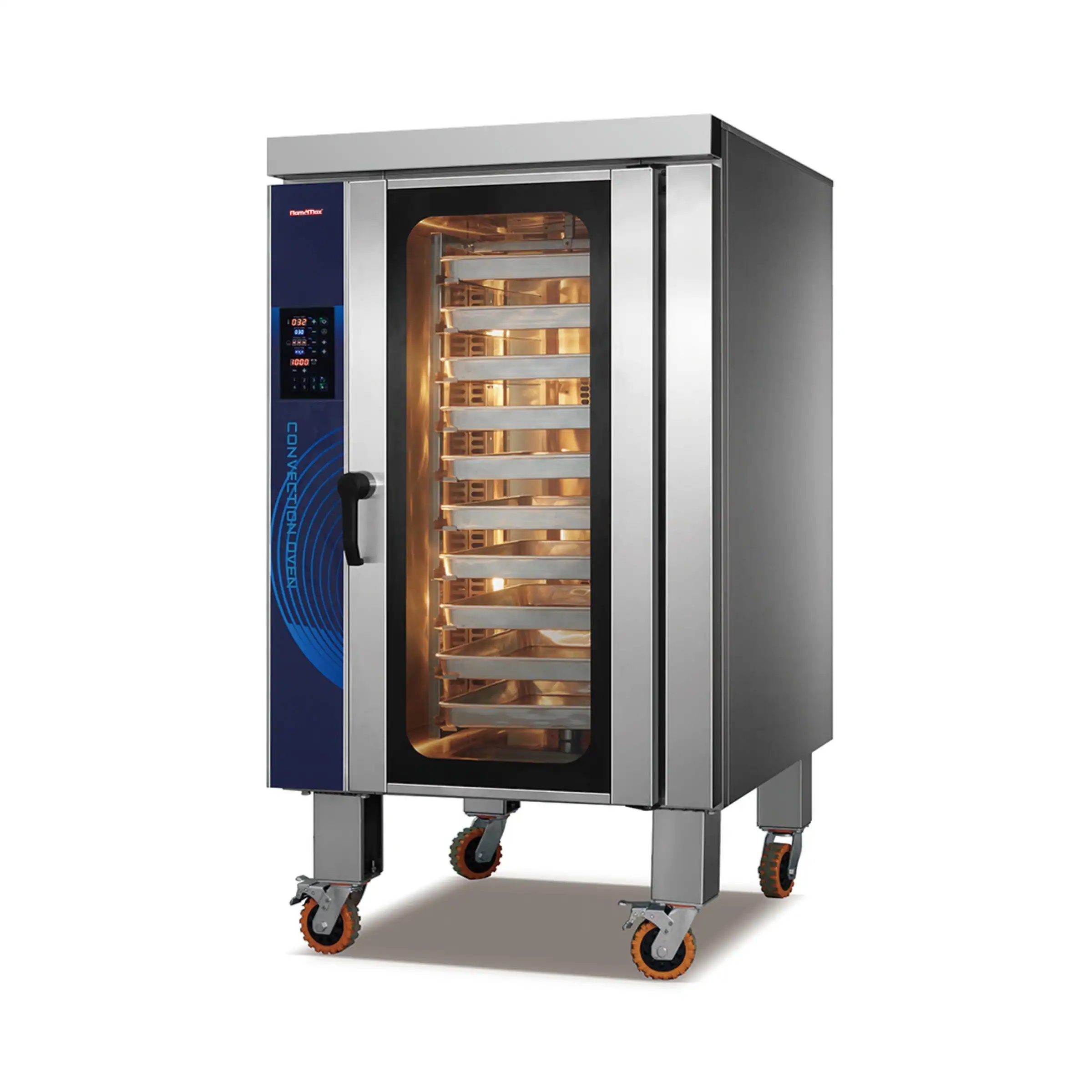
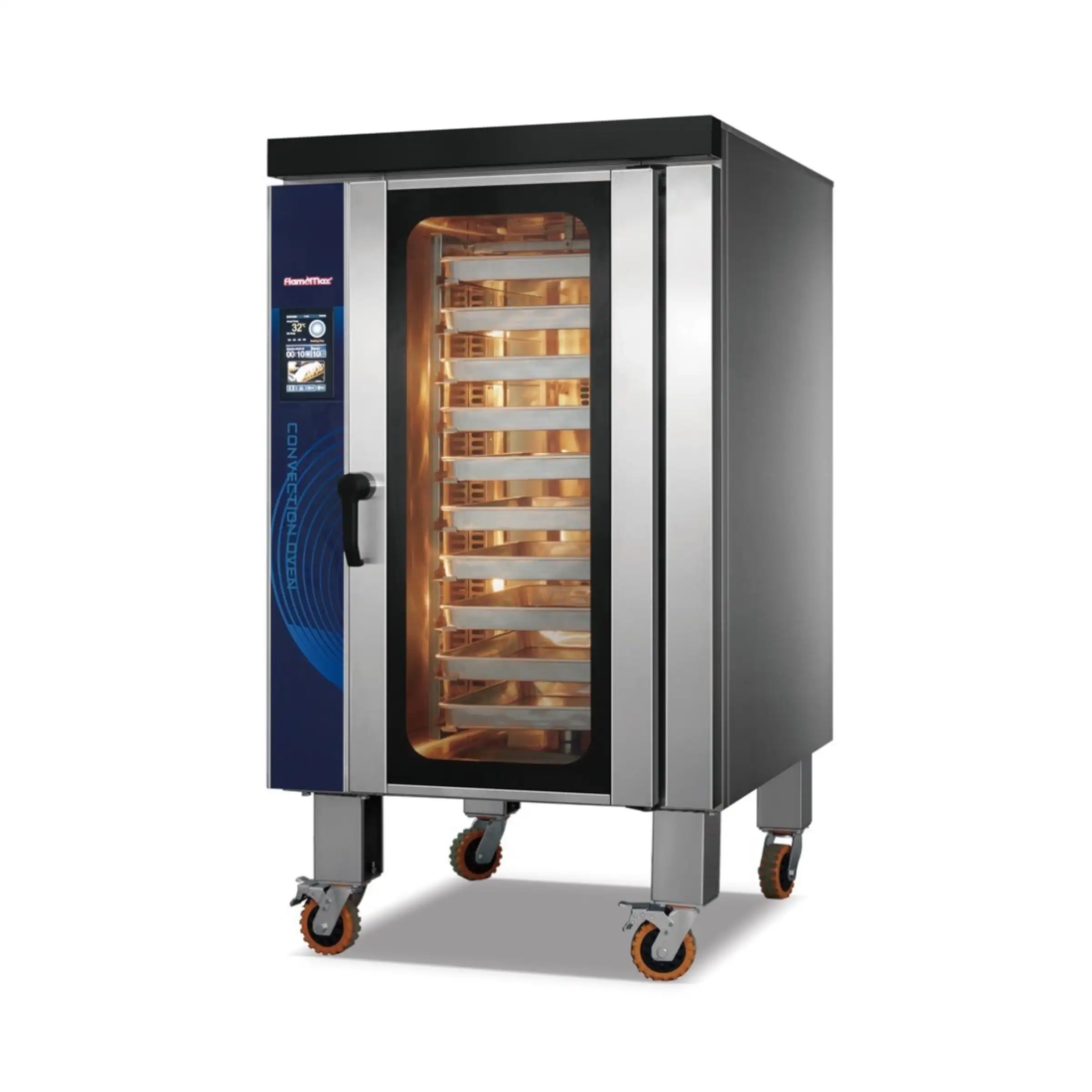
Compare Two 10-Tray Convection Oven Configurations
Both configurations hold ten 400 × 600 mm trays and are offered in electric and gas versions. Their main selection difference is the control interface and saved-program capacity. The model codes below help distinguish the two versions when requesting a quotation.
|
Configuration |
Electric / gas model |
Rack during baking |
Fan position |
Controls and program storage |
|---|---|---|---|---|
|
HEA-10R / HGA-10R |
Rotating |
Rear |
Digital controls; 6 user-configured programs |
|
|
HEA-10RT / HGA-10RT |
Rotating |
Rear |
Touchscreen controls; up to 99 user-configured programs |
Shortlist the digital model for a small set of repeat settings, or the touchscreen model for a larger program library. Keep a reference linking each program number to its product and loading arrangement.
Understand the Rotating Rack and Reversing Fan
Both 10-tray convection oven models use a rotating internal rack. As the rack turns, trays change their position and orientation relative to the circulating air. This can reduce reliance on opening the door to reposition trays manually, depending on the products and loading arrangement.
The rear fan also reverses airflow direction. Fan reversal changes the air movement; rack rotation physically moves the trays. Both features are present on these rotary models, but they perform different roles during the bake.
Test a representative batch and inspect colour, expansion and finish across the rack. Keep the tray arrangement consistent when comparing settings.
Leave clear airflow paths around expanding products. Rotation cannot compensate for overloaded trays or unsuitable baking settings.
CONTROL PANEL EXAMPLES
Choose Controls Around the Settings You Repeat
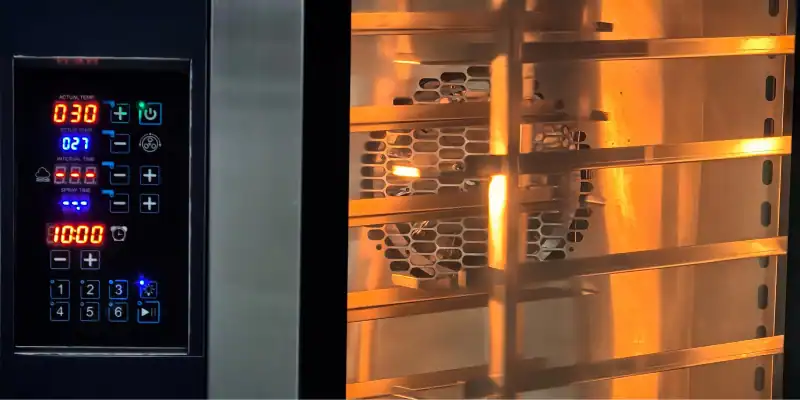
Digital Controls: Recall Six Regular Settings
The digital 10-tray convection oven stores six programs configured for your products. Save your tested settings for repeated use; these are customer-defined combinations, not factory-installed food recipes.
Count the settings your team regularly recalls. Different tray loads or product sizes may need separate programs, even when they belong to the same menu item.
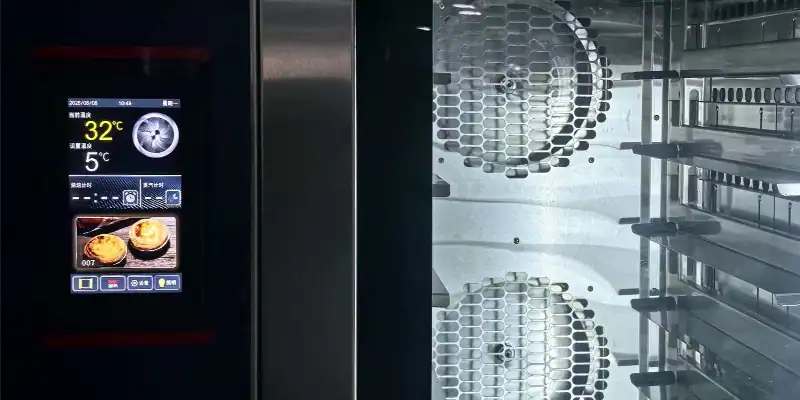
Touchscreen Controls: Organise a Larger Program Library
The rotary touchscreen model stores up to 99 user-configured programs. Consider it when your team switches between many products or load-specific settings, or prefers a touchscreen interface.
Keep a clear record of each program number, its intended load and any updates. Both models have the same ten-tray capacity; additional program storage helps organise settings without increasing batch size.
Check Tray Spacing, Installation Space and Utilities
Compare Dimensions Before Finalising the Layout
Both 10-tray convection oven configurations use 400 × 600 mm trays, 100 mm tray spacing and the same listed cabinet dimensions. This makes the control system the principal choice between these two models, while installation checks remain necessary for either one.
| Configuration | Oven dimensions: W × D × H | Tray spacing | Rated electric input |
|---|---|---|---|
| Rotary digital | 920 × 1190 × 1690 mm | 100 mm | 17.3 kW |
| Rotary touchscreen | 920 × 1190 × 1690 mm | 100 mm | 17.3 kW |
Tray pitch is the spacing between tray levels, not a maximum product-height allowance. Allow for the tray or mould, product expansion and airflow. Rated input applies to the electric models; actual energy use varies with temperature, loading and the baking cycle.
Measure the Oven Position and Access Route
Check the complete route into the kitchen, including doorways, turns and floor transitions. At the final position, allow the required installation clearances and enough space to open the door and transfer hot trays safely. The listed cabinet dimensions exclude your working area.
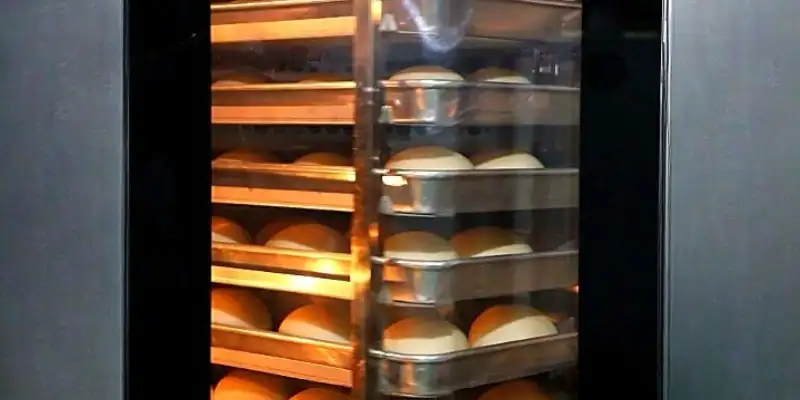
ROTATING INTERNAL RACK
Plan the Tray-Loading Routine
The 10-tray range uses an internal rotating rack. Trays are placed onto that rack individually; it is a different loading arrangement from a 16-tray oven with a roll-in trolley. Choose the capacity around the way your team prepares and handles each batch.
Provide a suitable landing area near the oven for trays before loading and after unloading. Check operator reach across the rack levels and the route to the cooling area. Include the door-opening space when laying out this work zone.
Keep tray placement consistent and leave room for products to expand. Follow the operating instructions for loading, rack movement and cleaning. Assess the full prepare, load, bake and unload cycle when planning production, rather than baking time alone.
Match the Energy Version to Your Site
Both electric configurations require 380 V, 50 Hz, three-phase power and have a rated input of 17.3 kW. Check this against the electrical capacity available on site. Gas versions also need electricity; confirm their separate electrical and gas specifications.
Estimate running costs from your production schedule and local energy prices. Rated electrical input and gas heat input are different specifications, not direct predictions of the cost of a baking shift.
For background on energy used during cooking and while holding temperature, see ENERGY STAR’s explanation of commercial oven energy use. Compare the selected model’s measured performance and your local energy costs before estimating running costs.
A Practical Way to Narrow the Choice
Use the priorities below to shortlist a configuration. Then check the tray loading, installation route and utility requirements together.
| Your priority | Configuration to consider |
|---|---|
| A focused range using six regular settings | Rotary digital |
| A larger library or a preferred touchscreen interface | Rotary touchscreen |
| More trays or roll-in trolley loading | Compare another capacity or configuration |
Choose the 10-tray convection oven around the number of validated settings your team needs to recall and the interface it can use consistently. Both models offer the same tray capacity and rotary arrangement. Confirm the installation and energy specification before finalising the order.
For loading a complete trolley at once, compare the 16-tray convection oven guide. Browse the GLEAN convection oven range for other capacities and configurations.