
How to Choose a 16-Tray Convection Oven
A 16-tray convection oven needs to fit both your baking process and the way full batches move through your kitchen. Tray capacity is one part of the decision. Trolley movement, control options, installation space and available utilities also matter.
GLEAN offers three configurations: a basic manual model, a rotary digital model and a rotary touchscreen model. This guide compares their practical differences and the checks to make before choosing.
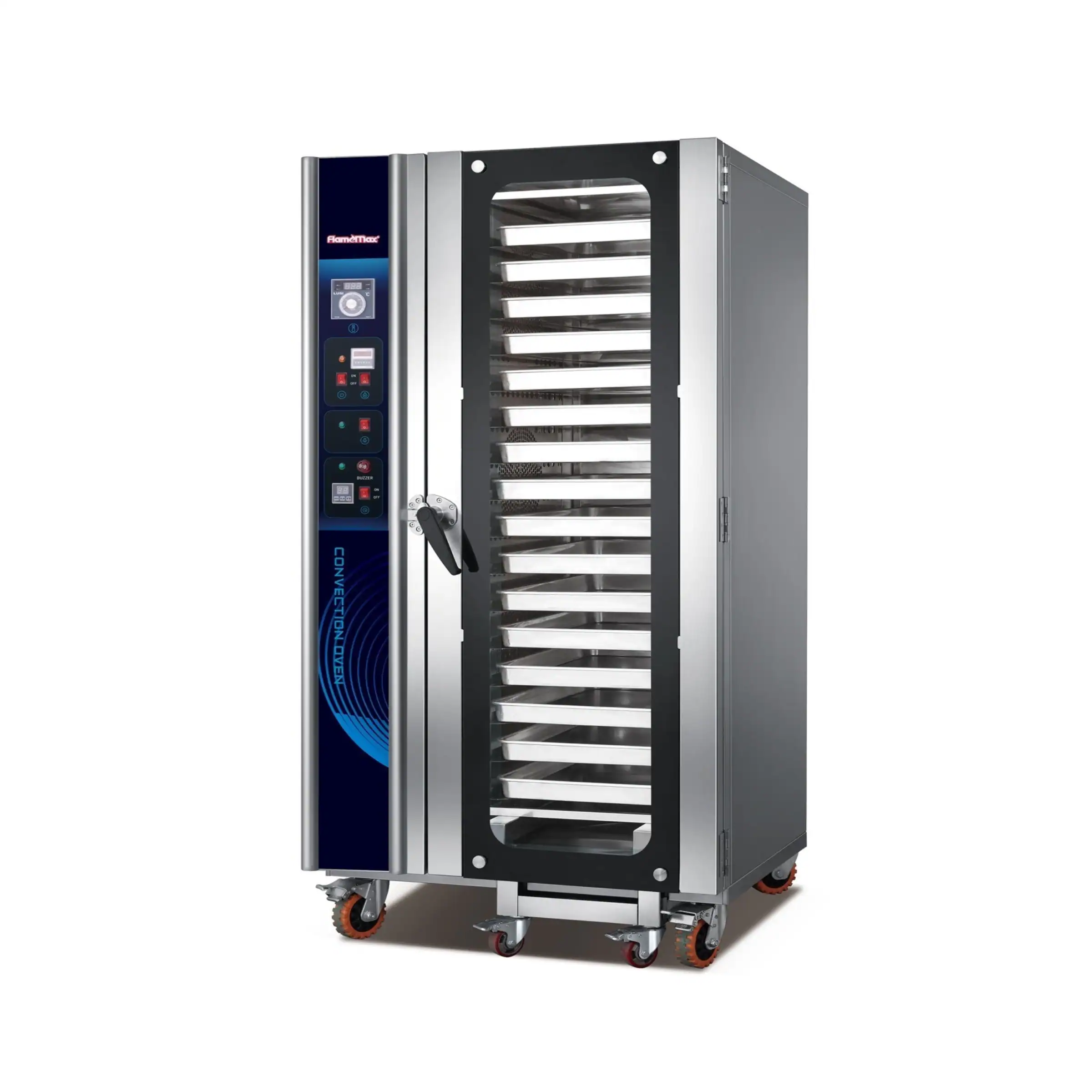
Basic
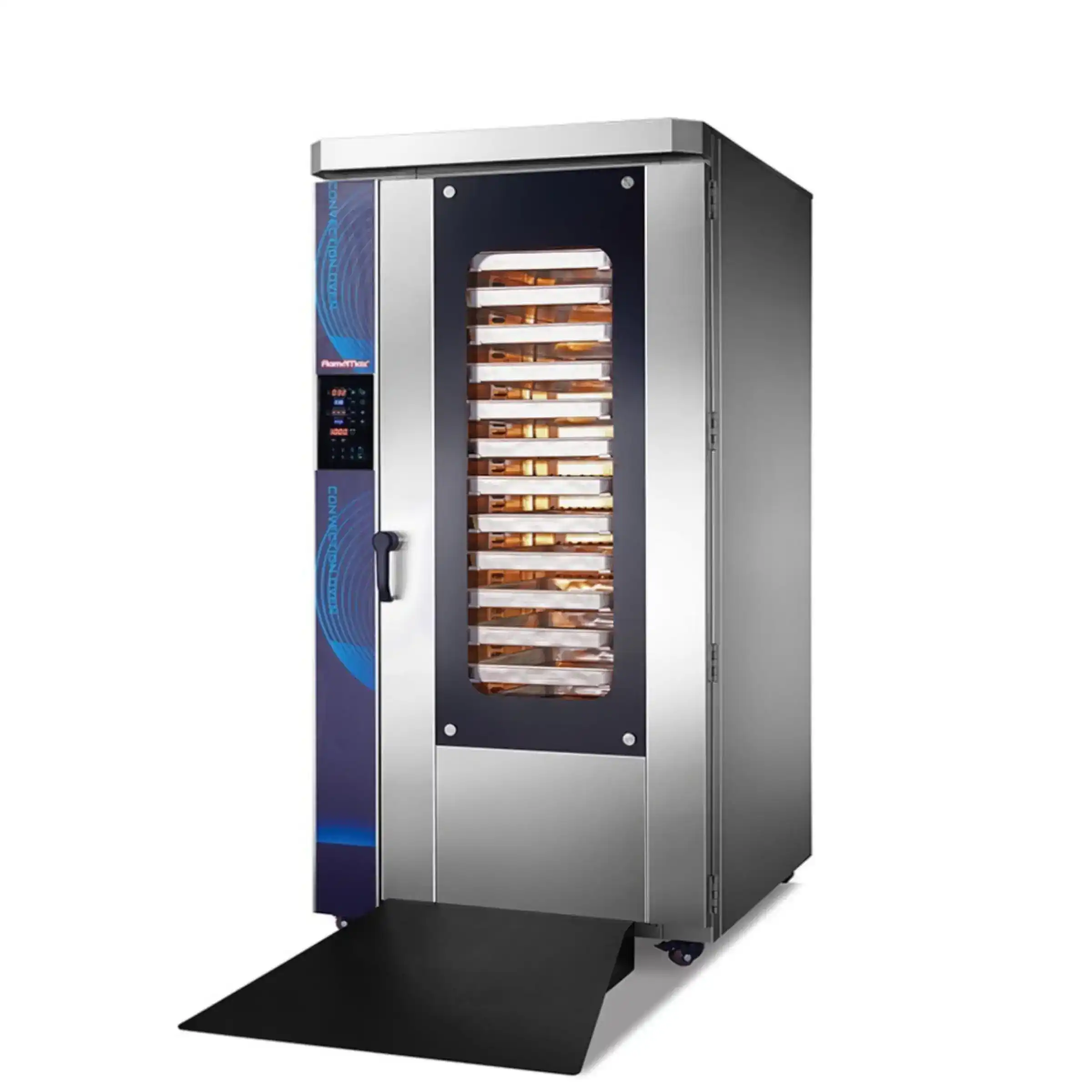
Rotary digital
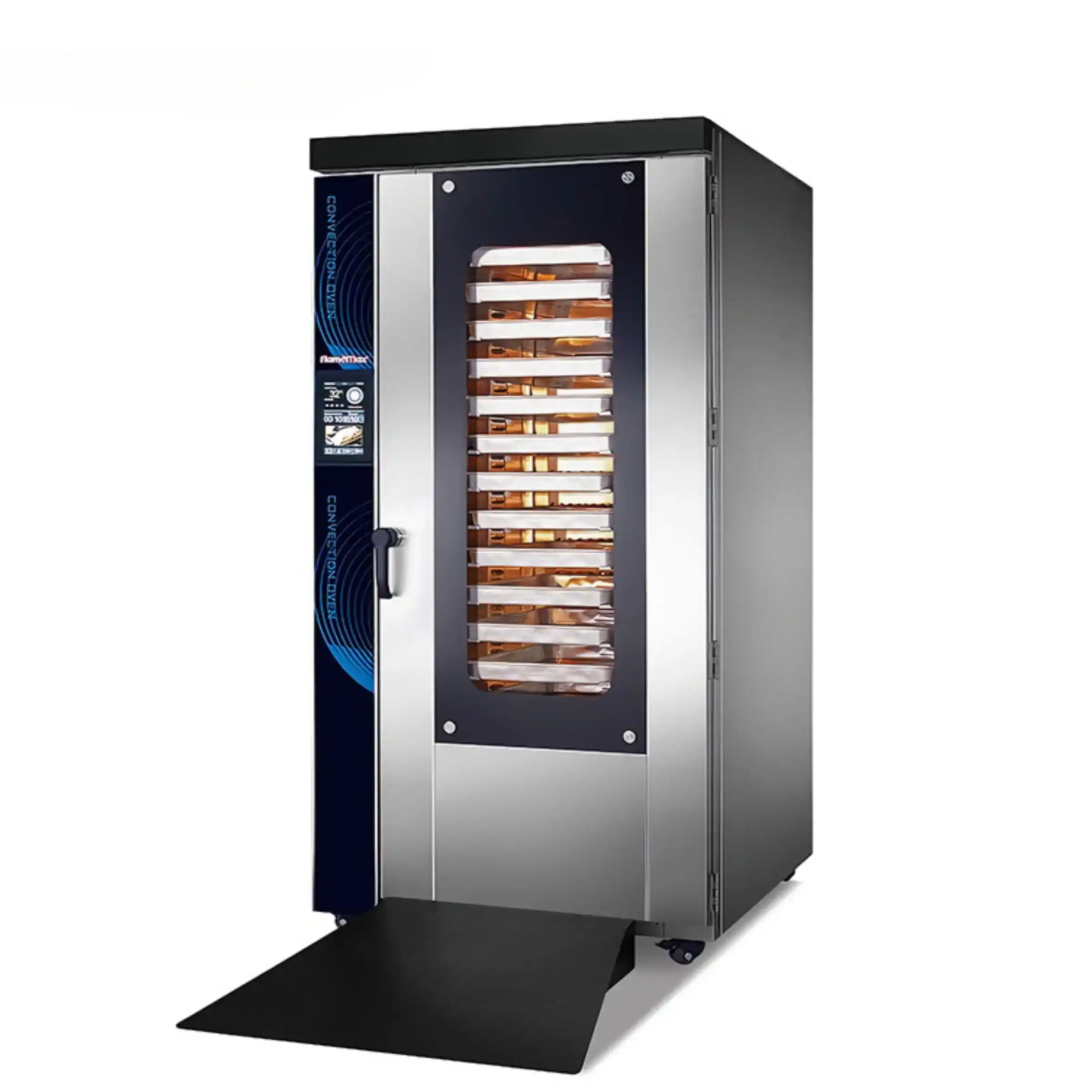
Rotary touchscreen
Compare Three 16-Tray Convection Oven Configurations
All three configurations take sixteen 400 × 600 mm trays, include a roll-in trolley and are available in electric and gas versions. Their main differences are summarised below.
|
Configuration |
Electric / gas model |
Trolley during baking |
Fan position |
Controls and program storage |
|---|---|---|---|---|
|
HEA-16 / HGA-16 |
Stationary |
Side |
Manual controls; no stored programs |
|
|
HEA-16R / HGA-16R |
Rotating |
Rear |
Digital controls; 6 user-configured programs |
|
|
HEA-16RT / HGA-16RT |
Rotating |
Rear |
Touchscreen; 99 user-configured programs |
Start by deciding whether you want a stationary or rotating load. Then compare the controls and check the corresponding model’s space requirements.
Stationary or Rotating Trolley: Which Arrangement Do You Need?
The basic model keeps its trolley stationary during baking. In the two rotary configurations, the complete loaded trolley rotates inside the chamber. This differs from smaller rotary models that turn an internal tray rack.
Rotation changes the load’s position relative to the circulating air. Compare the colour and finish across a representative batch, the tray repositioning your present process requires, and how the loading pattern suits your products.
Fan reversal and trolley rotation are separate features. A reversing fan does not make a stationary-trolley model a rotary oven.
Choose using your actual products and intended loading pattern. Trolley rotation alone does not establish the finished result and should not be treated as a guaranteed increase in hourly output.
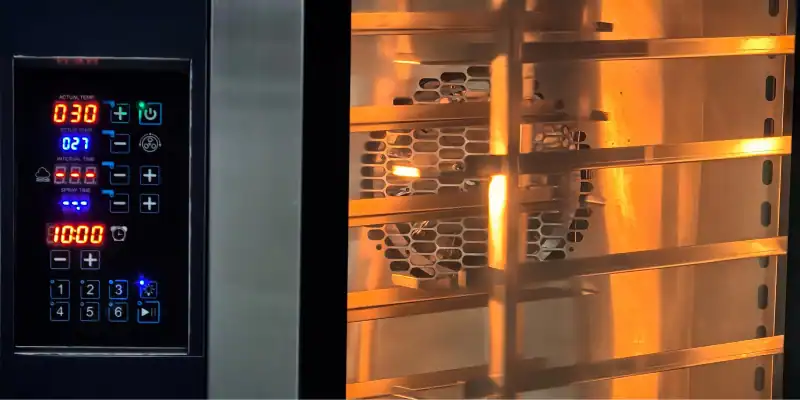
CONTROL PANEL EXAMPLES
Choose Controls Around the Settings You Repeat
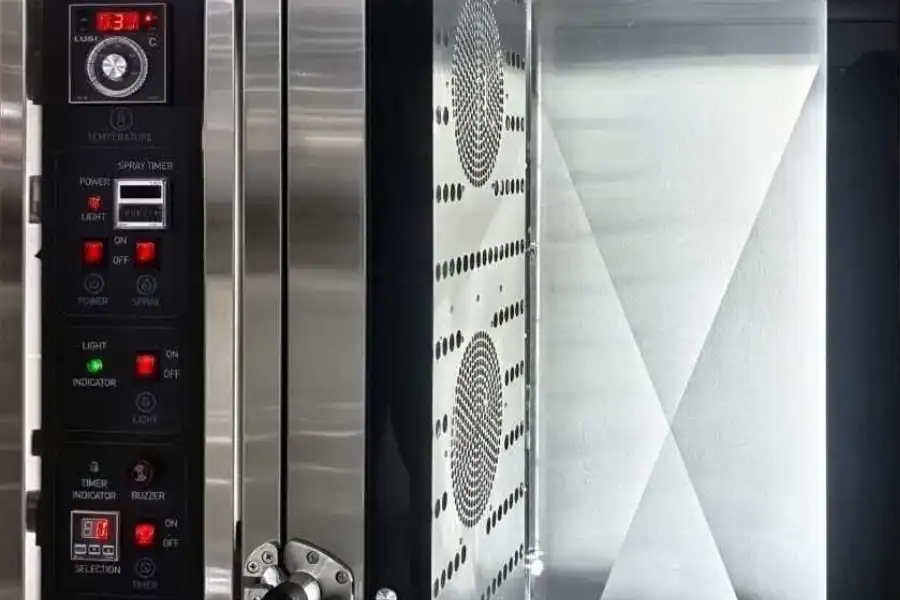
Manual Controls: Enter Settings for Each Batch
The basic panel provides direct adjustment without program storage. It includes digital readouts, so manual operation does not mean that there is no display.
This arrangement is worth comparing when your team prefers to enter the temperature and baking time for each batch. Keep the agreed settings clear and accessible to operators.
Digital Controls: Recall a Small Program Library
The rotary digital 16-tray convection oven stores six programs configured for your products. Establish the settings through your own baking trials, then save the combinations you use regularly.
Count the distinct settings you need to recall, rather than simply counting items on the menu. Different products or load sizes may require separate settings.
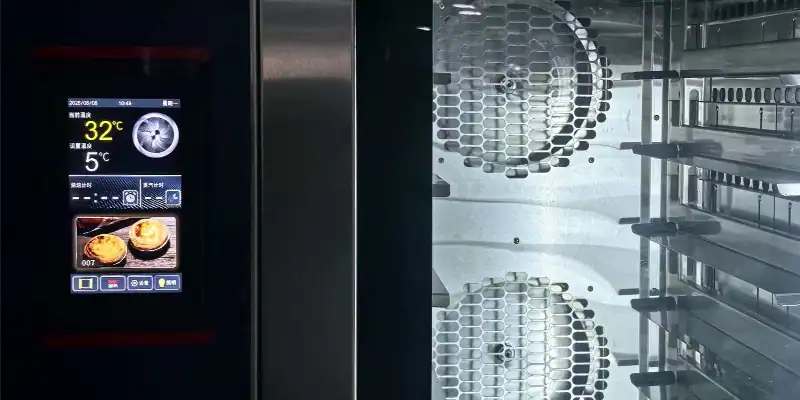
Touchscreen Controls: Keep More Settings Available
The rotary touchscreen model increases storage to 99 programs and changes the operating interface. Compare it with the digital model when six saved settings would be restrictive or your team prefers touchscreen operation.
Both rotary configurations have the same tray capacity. Additional program storage is useful for organising settings; it does not create extra tray positions or replace recipe testing.
Check Tray Spacing, Installation Space and Utilities
Compare Dimensions Before Finalising the Layout
All three configurations use 400 × 600 mm baking trays. Compare the tray pitch and the complete oven dimensions before choosing.
| Configuration | Oven dimensions: W × D × H | Tray spacing | Rated electric input |
|---|---|---|---|
| Basic | 930 × 900 × 1930 mm | 90 mm | 16.2 kW |
| Rotary digital | 990 × 1260 × 2100 mm | 100 mm | 23 kW |
| Rotary touchscreen | 990 × 1260 × 2100 mm | 100 mm | 23 kW |
Tray pitch is not a maximum product-height specification. Allow for the tray or mould, product expansion and room for air circulation. Rated input applies to the electric models and helps assess available electrical capacity; it does not represent actual energy use over a baking cycle.
Measure the Oven Position and Access Route
The basic configuration has a shallower footprint. Separately confirm installation clearances, doorway openings, turns, and the space needed to open the door and move the trolley.
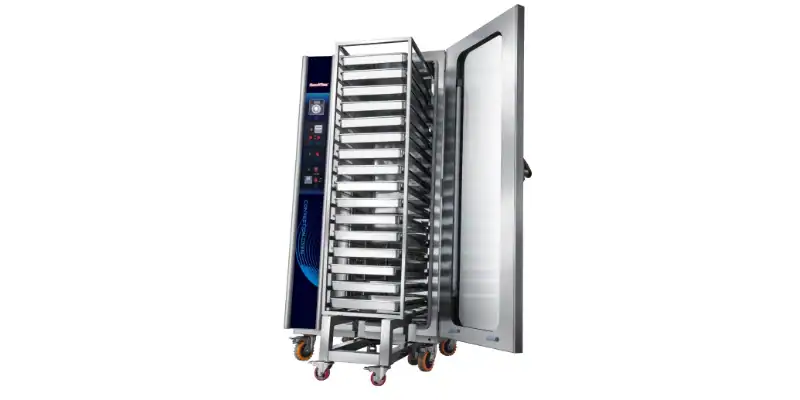
STANDARD ROLL-IN TROLLEY
How Does Roll-In Trolley Loading Fit Your Workflow?
The supplied trolley allows trays to be arranged outside the oven and moved into the chamber as one load. After baking, the trolley is removed for unloading.
Plan the route from preparation and tray loading to baking and unloading. Allow working space for the trolley without blocking normal kitchen access. The oven dimensions do not include this working area.
A baking trolley is standard with GLEAN’s 16-tray models. Baking trays are included according to the purchased oven specification. Confirm the supplied configuration in the quotation.
Match the Energy Version to Your Site
The listed electric versions use 380 V, 50 Hz, three-phase power. Gas versions also need an auxiliary electrical supply. Confirm the exact model, local voltage and frequency, connection arrangement and, where applicable, gas type and pressure.
Compare running costs using local energy prices and the intended production schedule. Gas heat input and electrical power figures describe different energy inputs and should not be treated as directly interchangeable measures of operating cost.
For background on energy used during cooking and while holding temperature, see ENERGY STAR’s explanation of commercial oven energy use. Compare the selected model’s measured performance and your local energy costs before estimating running costs.
A Practical Way to Narrow the Choice
Use these priorities to make a shortlist, then check the remaining requirements together.
| Your priority | Configuration to consider |
|---|---|
| Direct operation and limited installation depth | Basic manual |
| A rotating load with a small set of repeat settings | Rotary digital |
| A rotating load with a larger library of settings | Rotary touchscreen |
A suitable control panel will not compensate for an installation layout that makes loading difficult. Check the shortlisted 16-tray convection oven against both your routine settings and the complete trolley route.
Browse the GLEAN convection oven range to compare available models.